Unitek Learning COurse Design

Course design system, style guide, and web development

Project Summary

Purpose

Professional | Unitek Learning

Roles

Lead Designer & Web Developer

Date

2021-2025

Why

In the past, instructors built out course homepages. This created confusion for students because course homepage designs varied widely depending on an instructor's personal preferences and technical ability. Past layouts lacked accessibility, responsiveness, and were not always highlighting information student's felt were most important or frequently used.

An initial re-design was completed in 2022, but the design system has continued to evolve as the team has collected quantitative and qualitative feedback from internal team members and students.

Goals

The new course design aimed to improve consistency across colleges and programs, enhance usability and learnability for the students, meet WCAG AA web standards for accessibility, and provide a professional, clean visual aesthetic for all users.

Deliverables

The end deliverable was a course blueprint in the Canvas learning management system that could be copied and customized by the instructional design and educational technology teams for new semester starts.

To support scalability, consistency, and documentation, a design system was first established in Adobe XD and an interactive style guide was developed in the learning management system. The style guide provides best practices, visual examples, and code examples to support the instructional design and educational technology teams in implementing the new design.
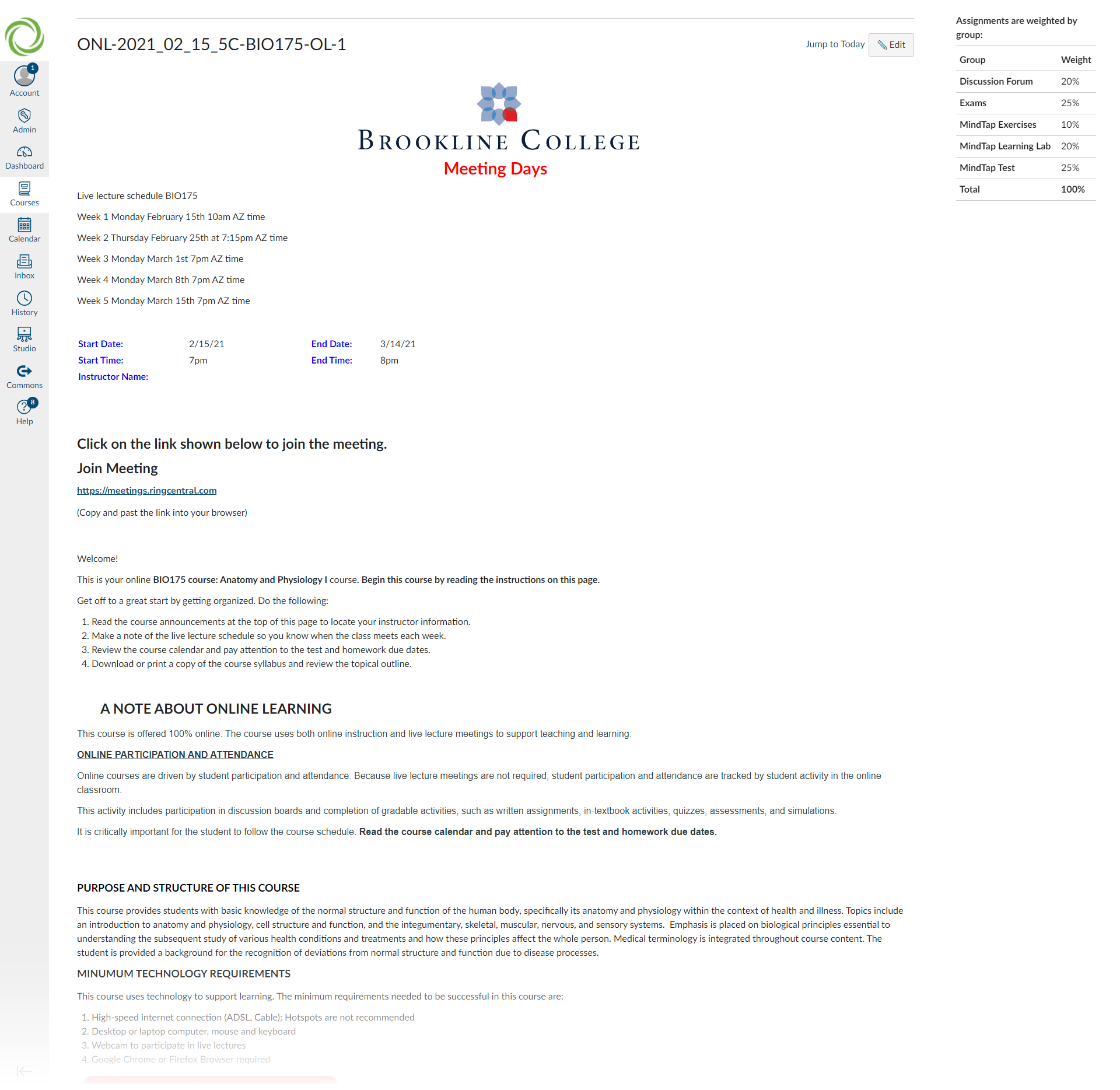
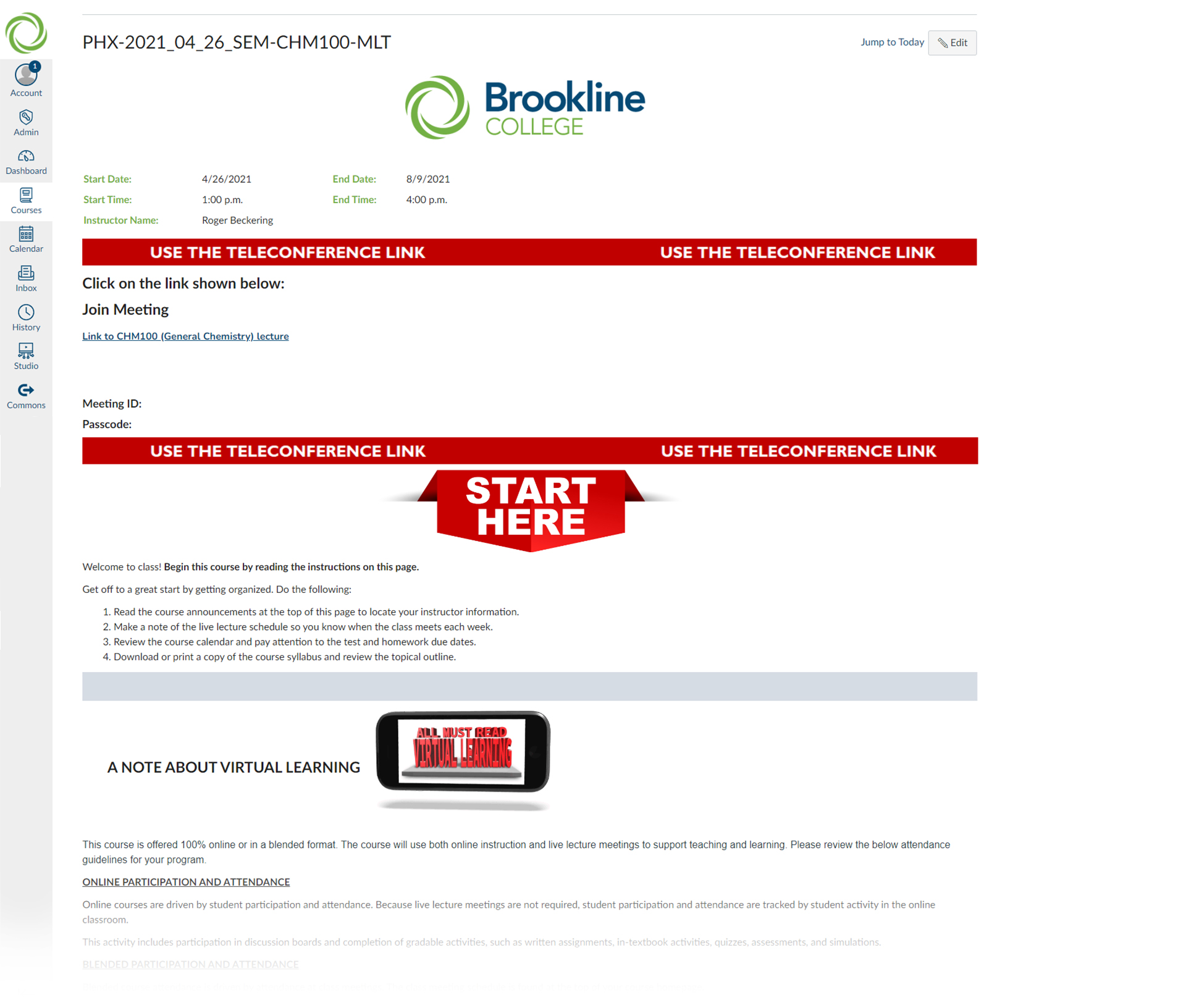
PAST HOMEPAGES

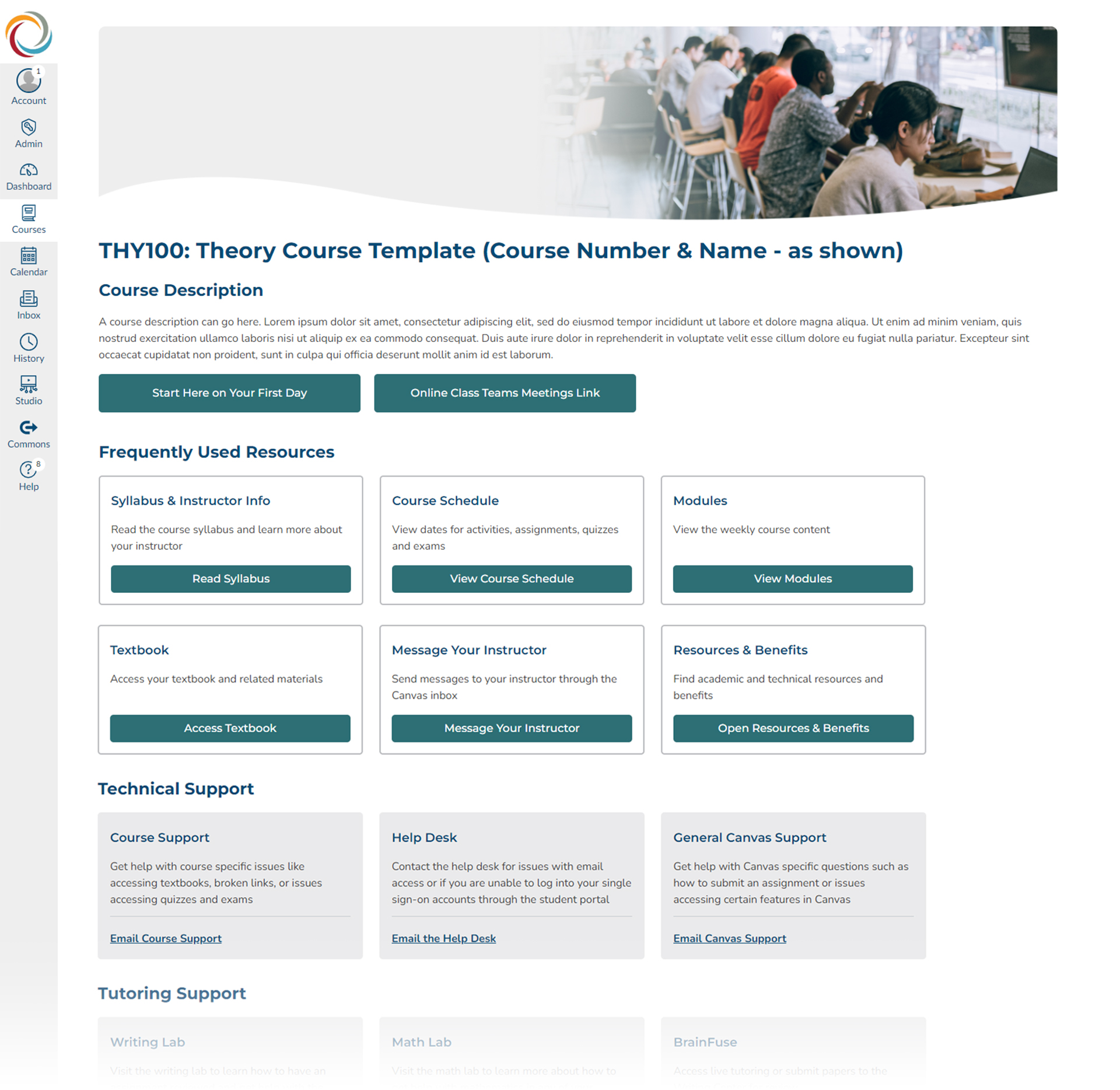
The student experience varied widely in the past as homepages were laid out differently even across sections of the same course. Students had to navigate new academic material while also learning new organization systems and process.

Student's were previously met with a wide variety of course homepage layouts. Most were text heavy with important links and frequently used resources buried beneath the fold of the page.

The Final Design

The final design was the culmination of collaboration with multiple levels of leadership, student focus groups reviewing early wireframes and mockups, and testing with the educational technology team. Time was a valuable resource so I had to rely on UX best practices, WCAG AA accessibility guidelines, and mobile-first design best practices to build the initial layouts.

Simple, Organized, and Responsive

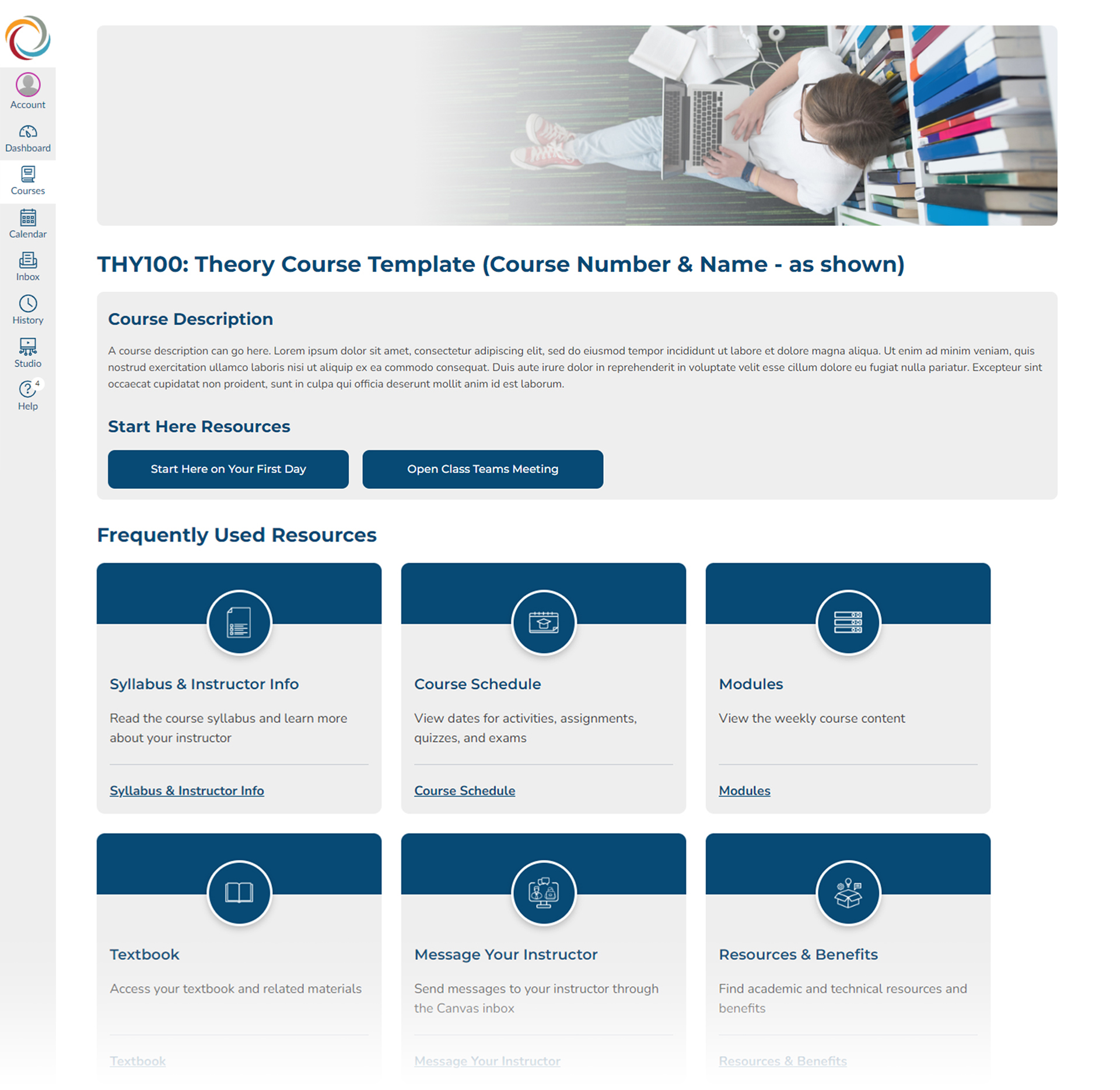
The first version of the design (see below) grouped like information into cards with the most used resources and links located at the top of the page. The cards allowed for a simple, organized, and responsive method to group information into digestible pieces. After the initial launch and collecting feedback, another re-design was completed that focused on the visual styling of the card layout.

Icons and colored headers were added to the cards to better differentiate sections, incorporate more of Unitek's college brand colors, and add visual interest for students.

Usability for Internal Team Members

A responsive card-based design was also user-friendly for instructional designers and educational technologists who would be customizing pages. Most internal team members were new to editing HTML, so this was an important consideration for internal stakeholder usability.

Version 1

Version 2

The re-design was completed in two stages. The first focused on establishing a base design that created a clear information architecture, consistency, and a mobile-friendly responsive layout. Round two built upon the first but more attention was given to the visual styling of the page based on feedback from students and team members.

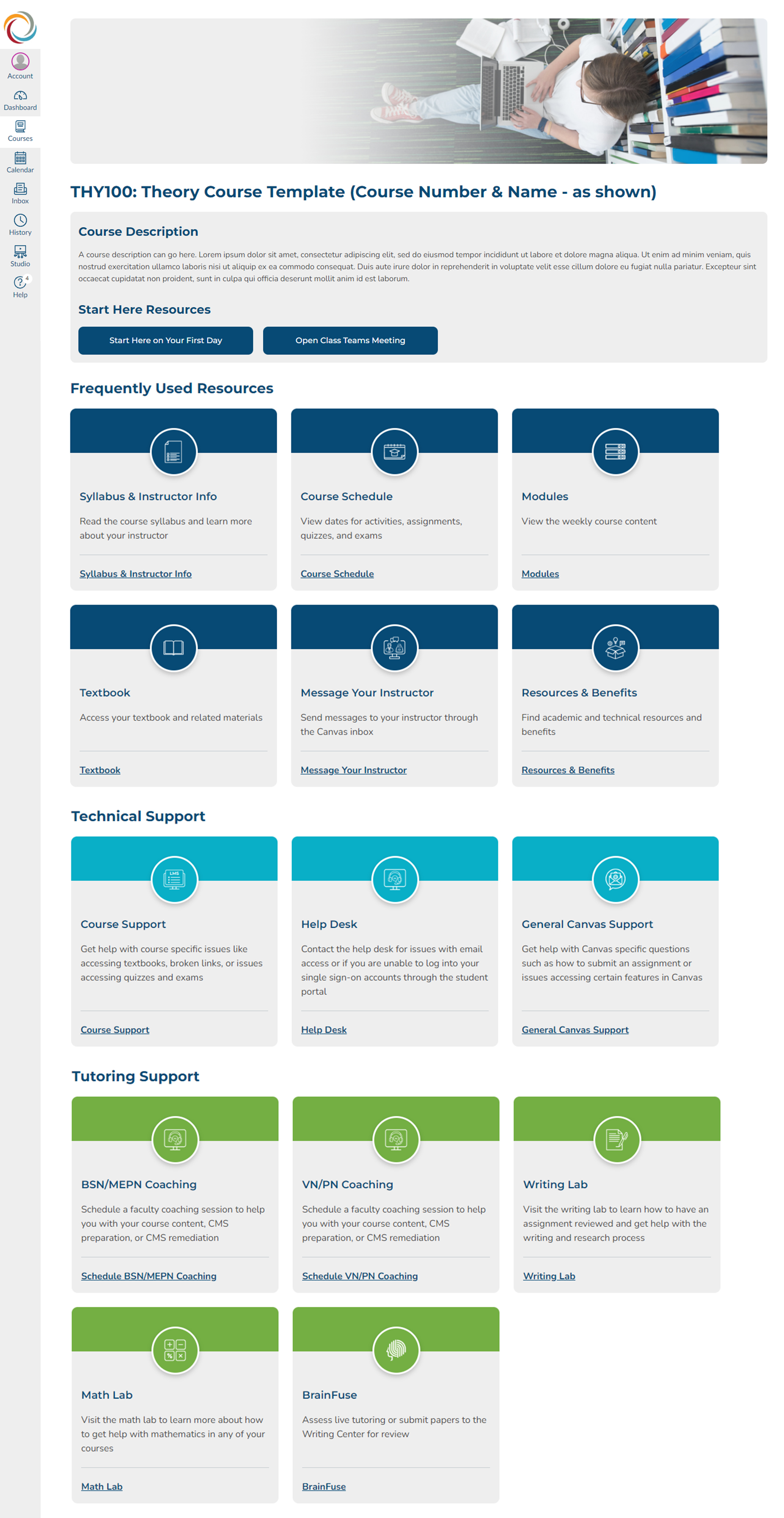
The Full Homepage

A snap shot of the new course homepage. This blueprint course is duplicated and customized by instructional designers and the educational technology team as new semesters begin. The consistent organization and visual design is used across Unitek's college brands to improve the student experience.

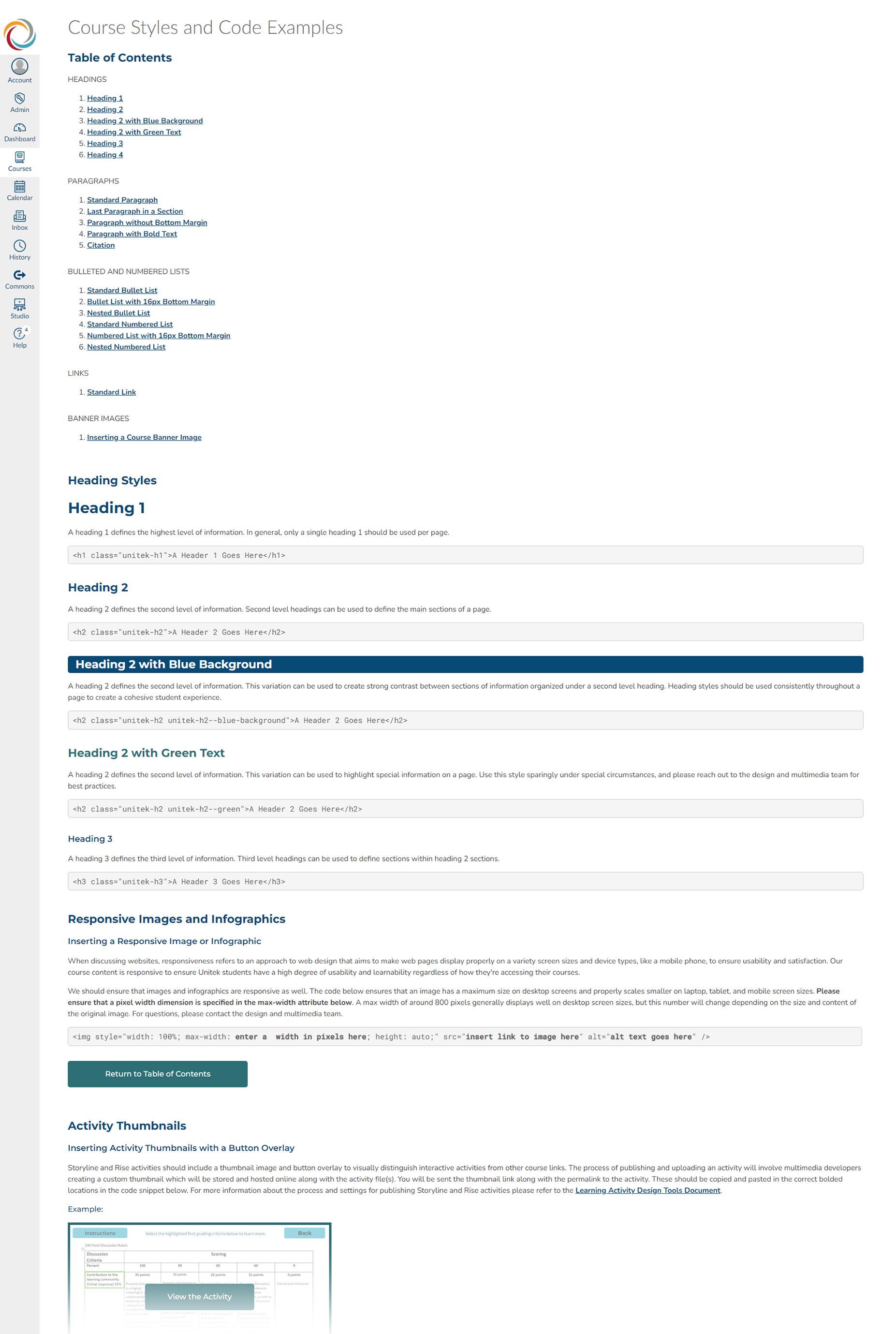
Style Guide

The course style guide is an interactive resource developed in the learning management system. The style guide provides best practices, visual examples, and code examples to support the instructional design and educational technology teams in implementing the design.